Calendar · online booking
Your card is your booking page.
Clients tap Book on your card, pick a time that's really free, and they're in your calendar. No app to install, no account to make. Behind it, a front desk for walk-ins, reminders before every visit, and a record of every client.
No app for clients·No account to book·Any phone, any browser
Why on the card
Booked where they already found you.
Already in their phone
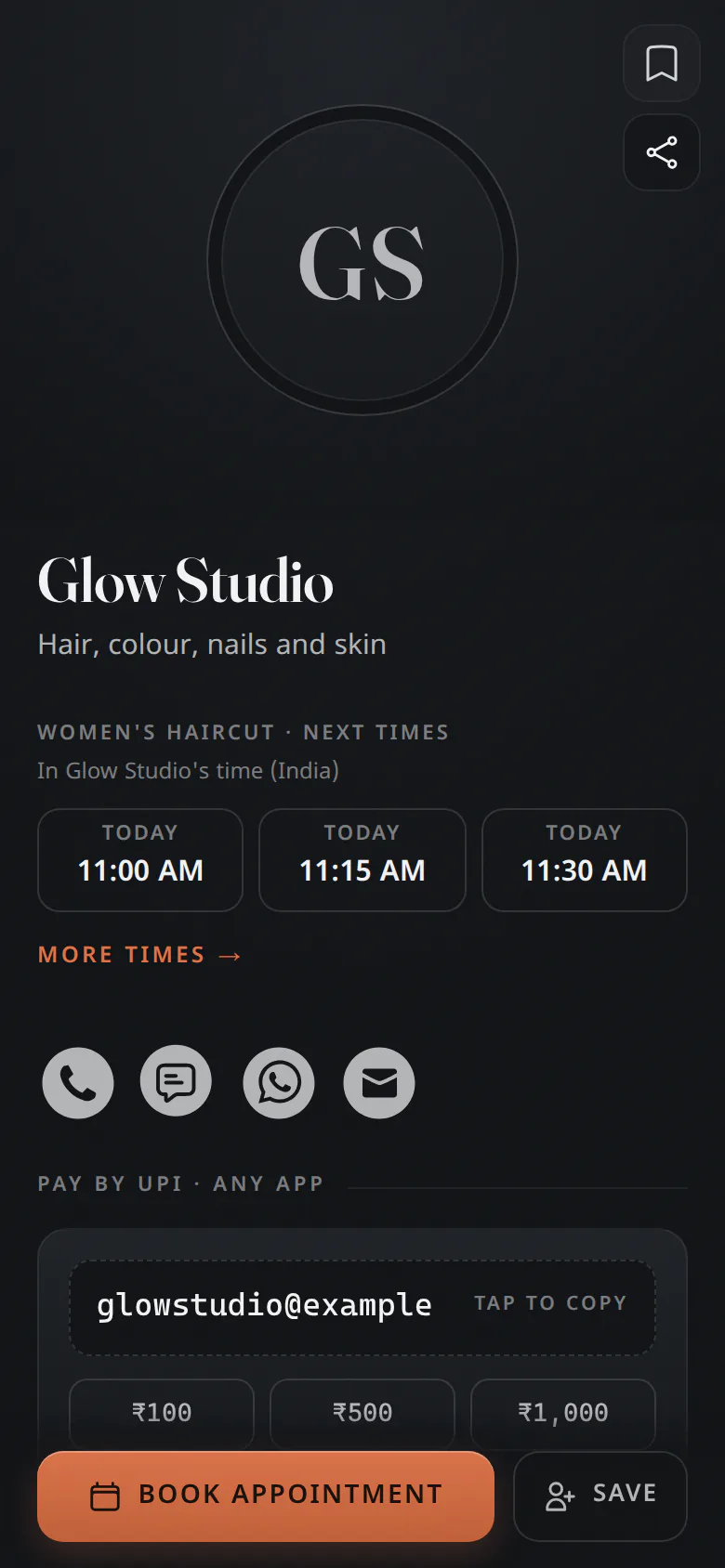
Your card is the link in your bio, the QR code on your counter, the contact they saved. Book sits right on it, so there's no new link to learn and nothing extra to hand out.
Nothing to install
Clients book in the browser they already have, on any phone. You run the day from a phone, a tablet or the computer at the desk.
One record, start to finish
Every booking files the client: their visits, notes and what they paid. Your card, your contacts and your calendar stay in one place.
For your clients
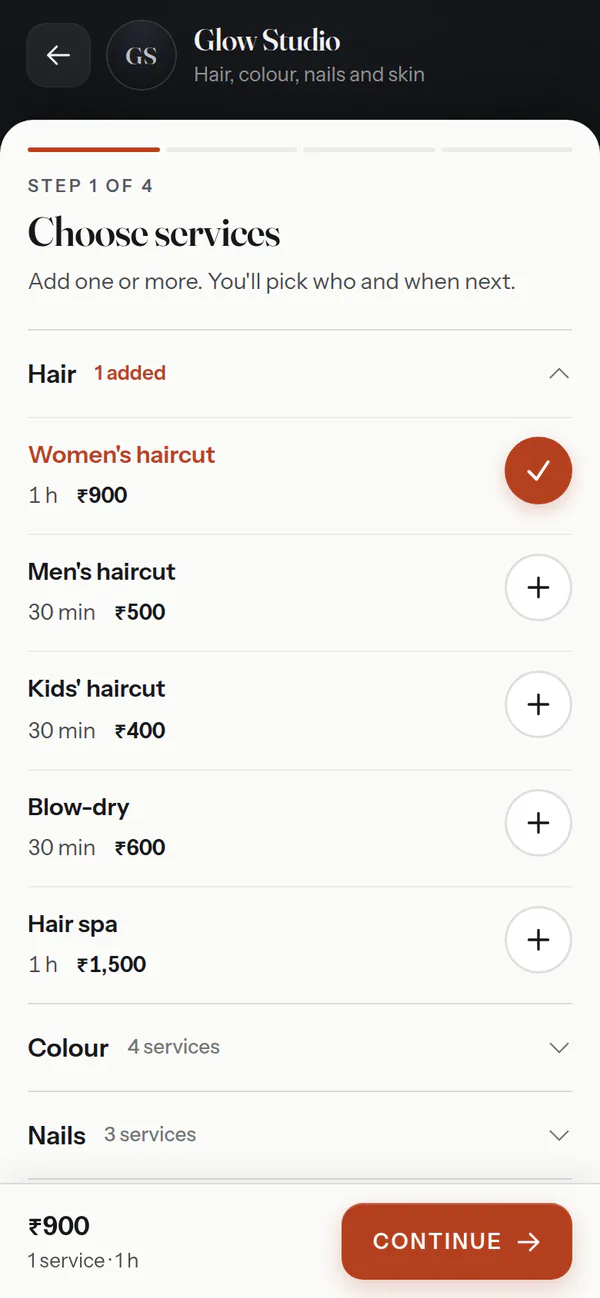
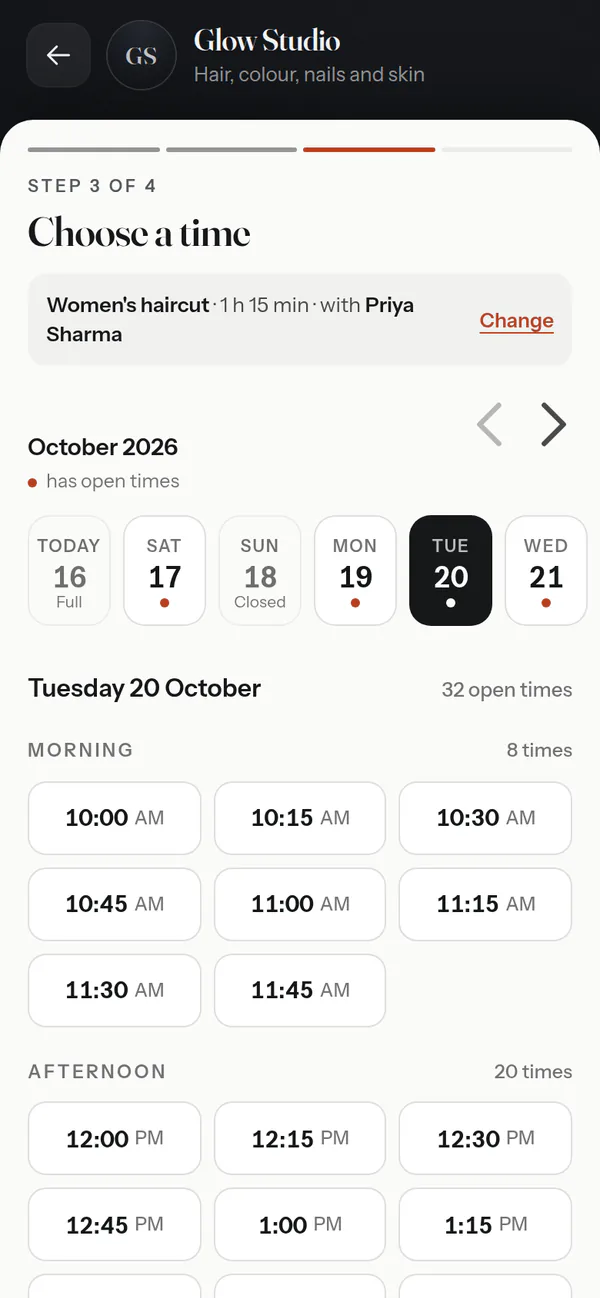
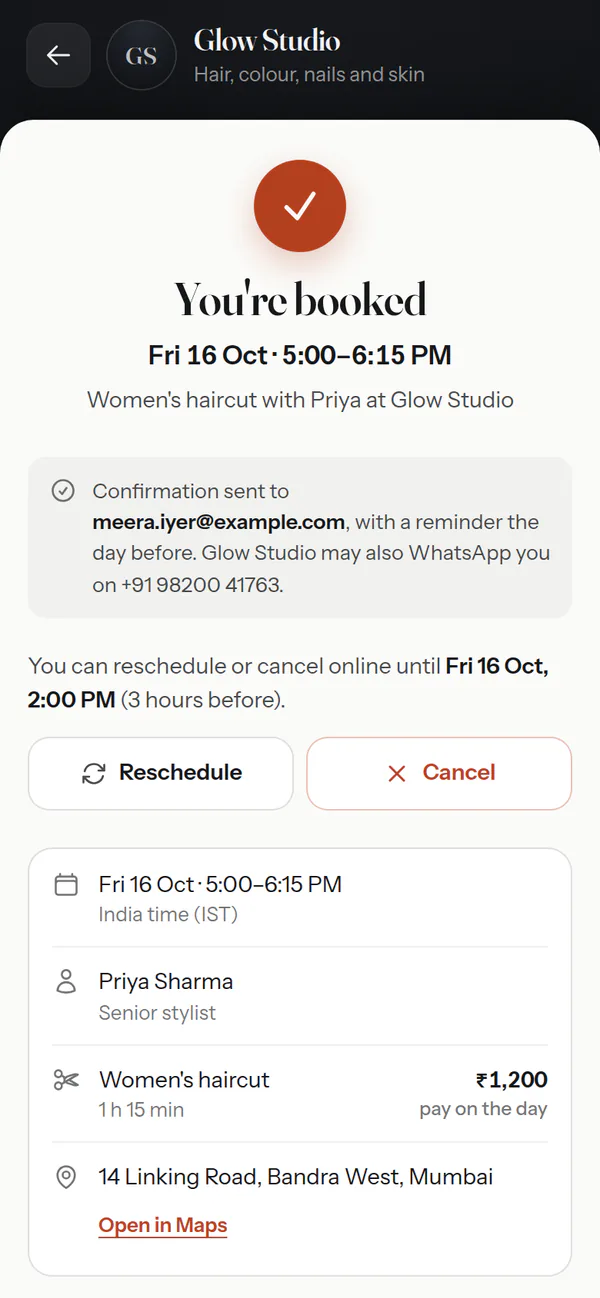
Three taps. No app, no account.
They choose what they want and who with, then a time that's actually free. A name and a phone number or an email, and it's booked.
Also — a Book button on each team member's card · questions before booking · guests on the invite · requests you approve first
Who it's for
Whatever you call an appointment.
Say what kind of business you run and it speaks your language: meetings and invitees for a coach, services and stylists for a salon, patients for a clinic. The same calendar underneath.
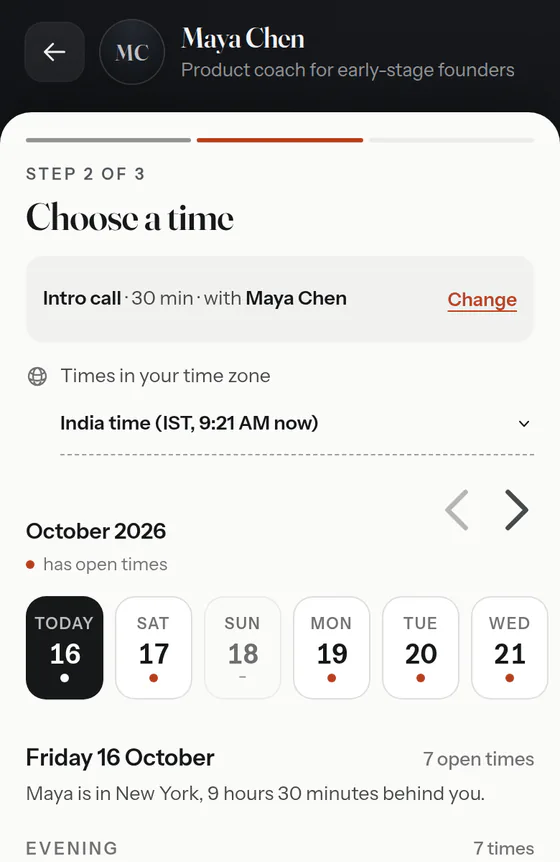
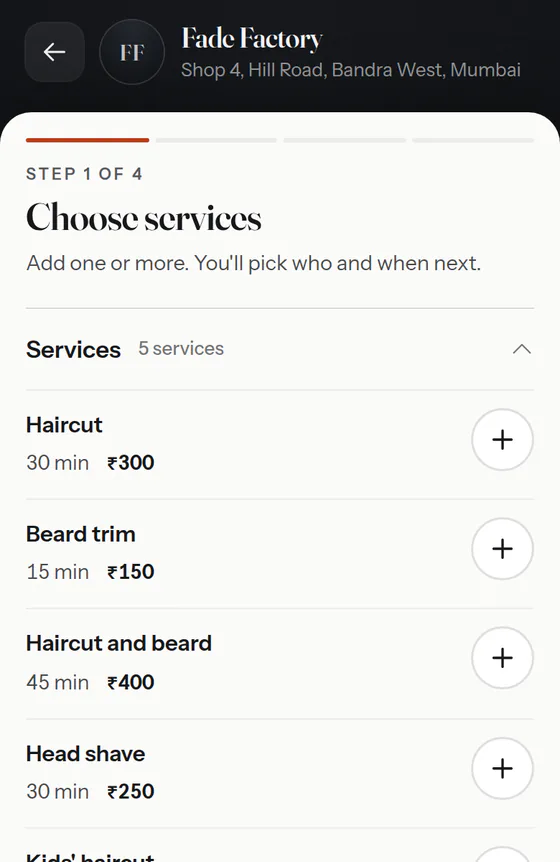
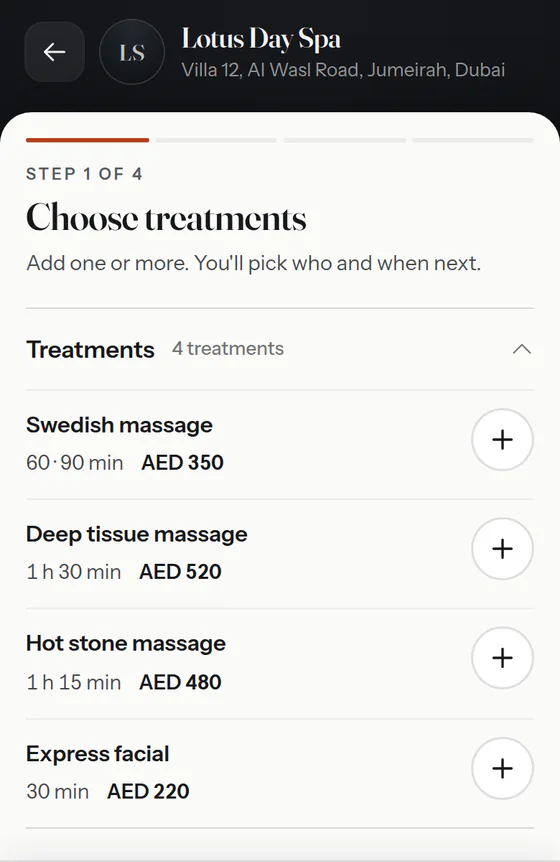
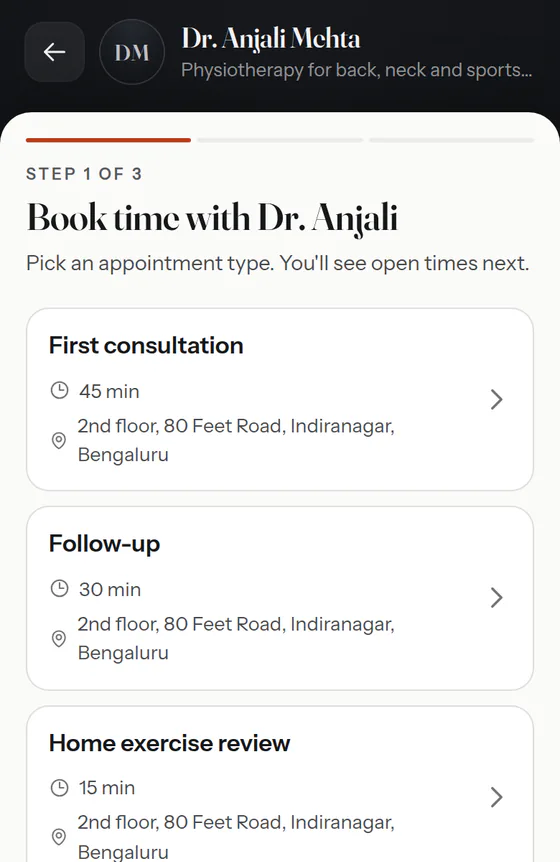
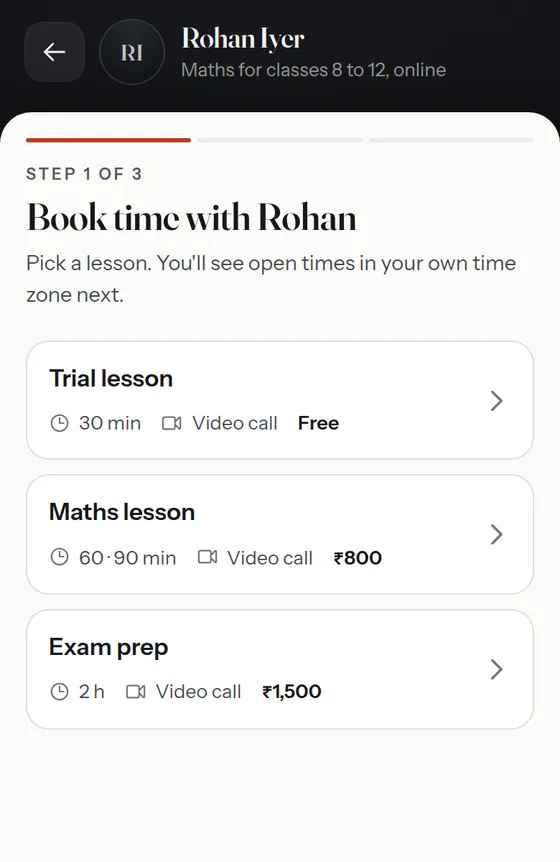
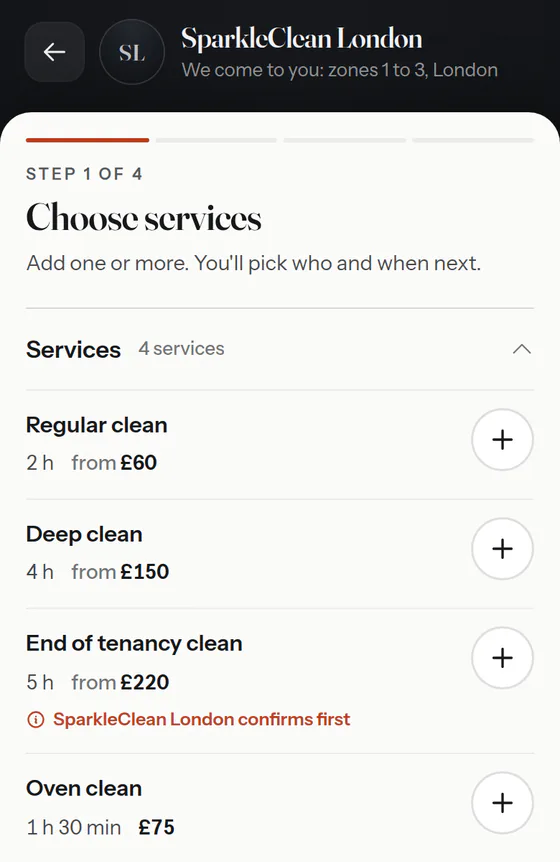
Also fitness instructors · tattoo studios · anyone whose time gets booked
For the front desk
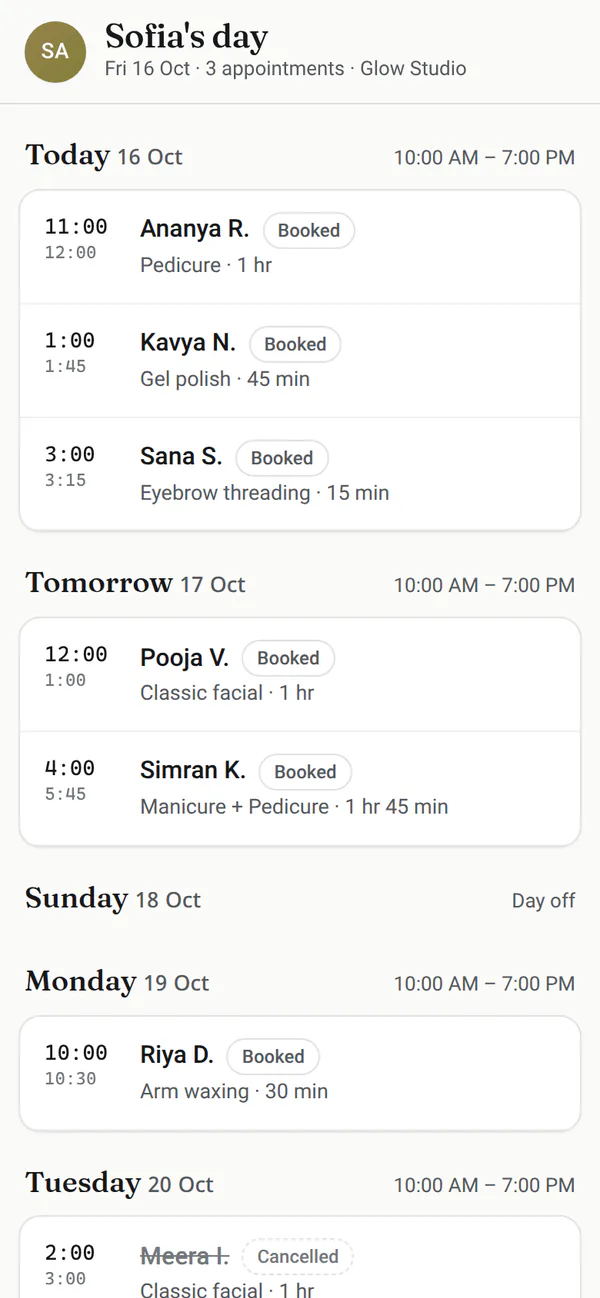
The whole day, on one screen.
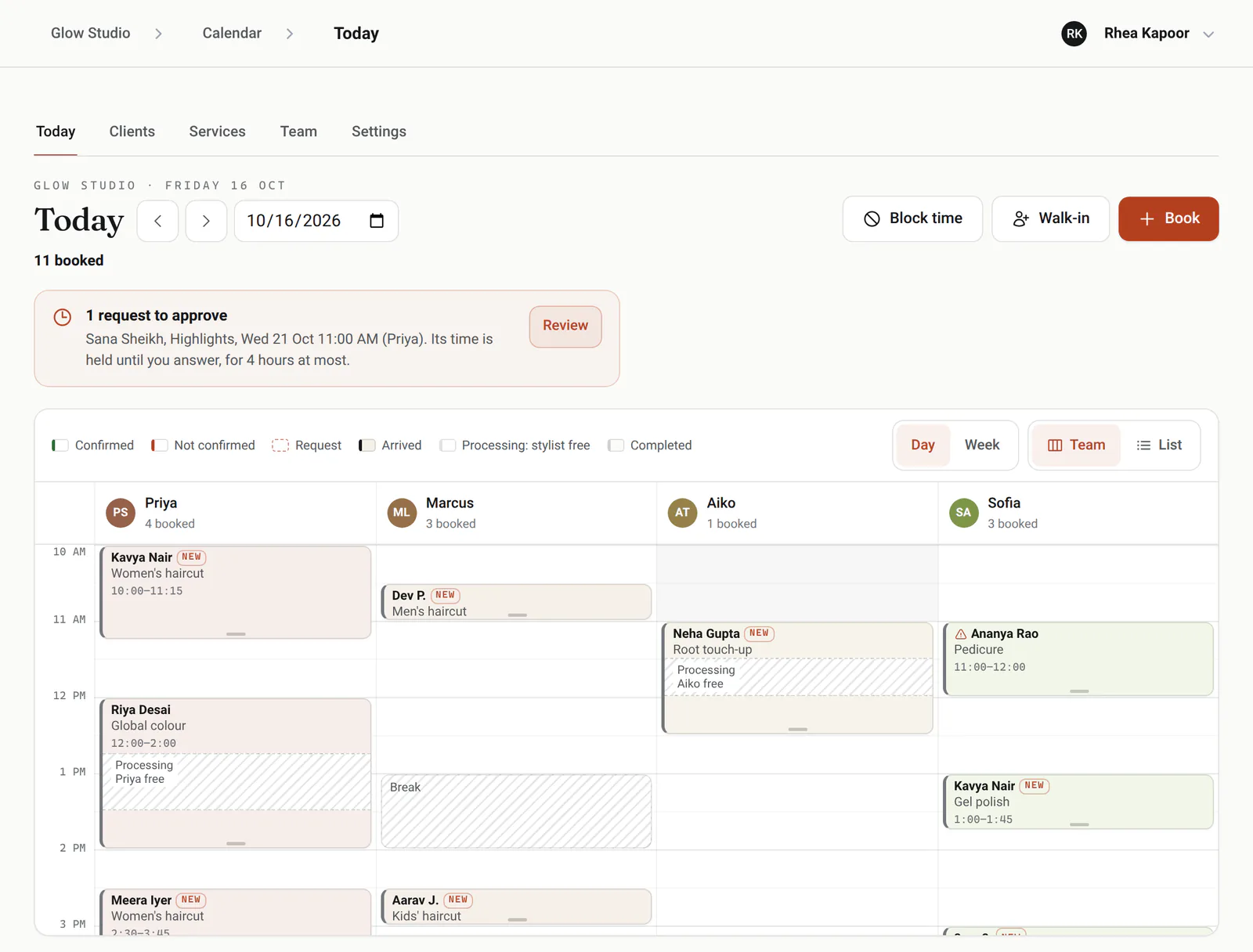
Everyone on the team in a column, every booking in its place, and the same day live on every screen at the desk. Built for the counter, where the phone rings while someone walks in.
Walk-ins
Pick the service and the desk shows who's free now, or how long the wait is, with the first free already chosen.
Phone bookings
Type any few digits of their number and the client comes up, ready to book.
Drag to move
Drag a booking to another time or person, or its edge to make it longer.
Live on every screen
A booking made online or at the other desk appears without a refresh.
Confirmed or not
Reminders carry a Confirm link, and the day shows who has tapped it.
Requests and blocks
Approve requests from the top of the day. Block lunch, leave or a closed day and it's off the booking page.
Before and after the visit
The business around the booking.
Reminders
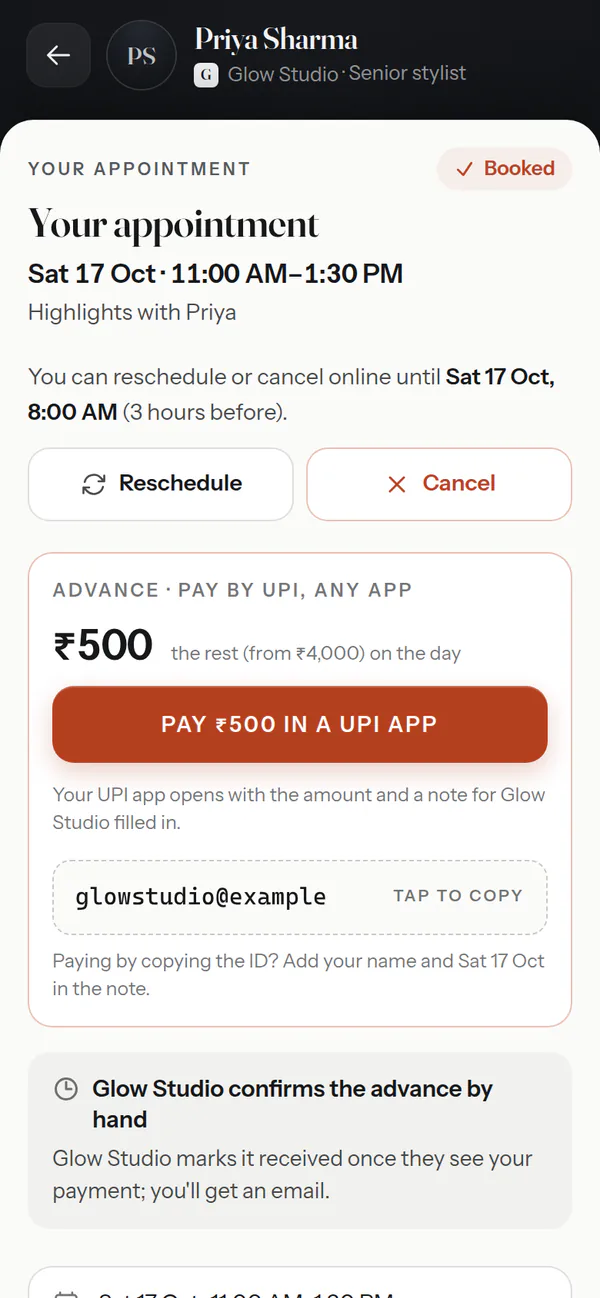
A confirmation with a calendar file, then reminders a day and two hours before, by email.
WhatsApp in one tap
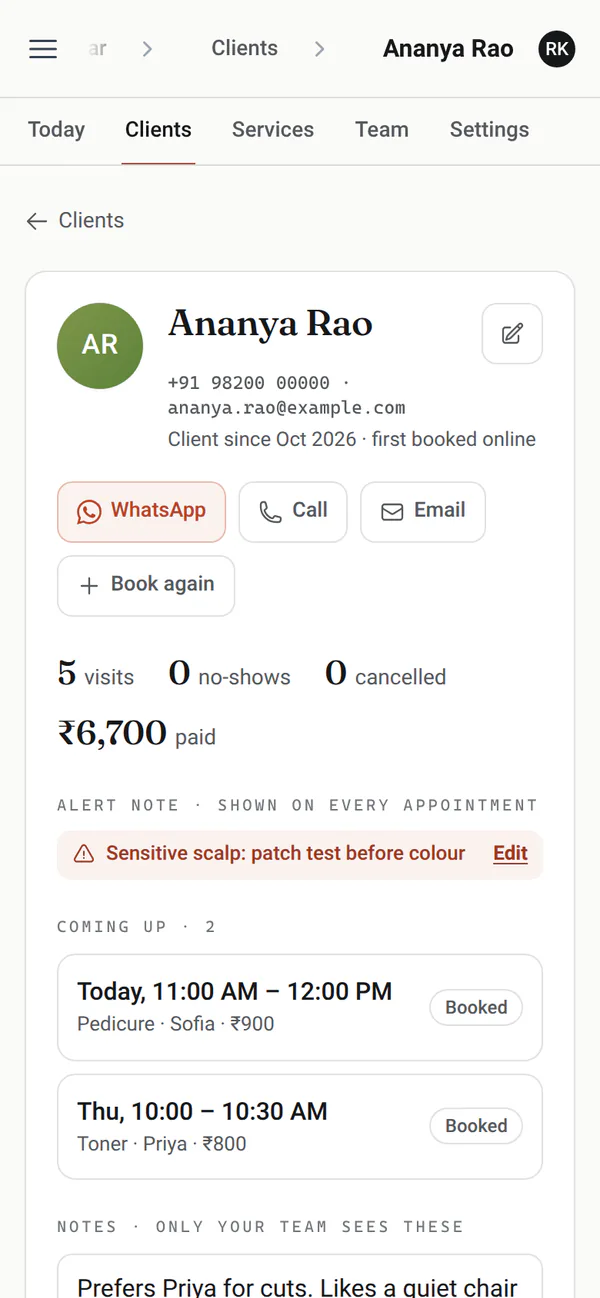
From the desk, a reminder or a running-late message opens in WhatsApp, already written.
Takings
Mark a visit paid by cash, card, UPI or anything else, with any tip. Today's takings sit on the day view; any week or month adds up by person and by method.
Logins for the team
A front-desk login handles every booking and client; a staff login sees the calendar and works its own appointments. Services, prices and settings stay with you.
Your rules
How much notice you need, how far ahead people can book, and until when they can cancel or move online.
Morning digest
An email with the day ahead before you open, so nothing catches you out.
Works with what you use
It fits in, everywhere you are.
For your AI agent
Every part, operable by an agent.
Anything you can do in Calendar, an AI agent can do through the eKard Agent API, with the same roles and the same rules as the app: find open times, book, move and cancel, check people in, mark visits paid, look up a client's history.
GET /api/v1/kards/glowstudio/
    availability?offering_ids[]=1
    &date=2026-10-17
Authorization: Bearer <API key>

{"dates": {"2026-10-17": [
  {"local_starts_at":
     "2026-10-17T10:00:00+05:30",
   "provider_ids": [2]},
  {"local_starts_at":
     "2026-10-17T11:30:00+05:30",
   "provider_ids": [2]}, …]}}

POST /api/v1/kards/glowstudio/bookings
→ 201 CreatedOpen the book
ekard.app/you
Make your card, say what you offer and when you work, and switch booking on. Already have a card? Open your calendar.
The paperwork
Do clients need an app or an account?No. They book in any browser with a name and a phone number or email, and get a link to change or cancel.
Can two people book the same time?No. Open times are worked out fresh each time someone looks, and whoever books second is asked to pick another time.
Does it work for a team?Yes. Each person has their own hours and services. Clients pick someone or anyone free, and the front desk sees everyone's day.
Does it work where I am?Your calendar keeps your time zone and your currency, and remote meetings show in each visitor's own time zone.
What changes on my card?Nothing until you switch booking on. Then Book appears on your cards; pause booking and the button goes away.
Can my AI agent run it?Yes. The eKard Agent API covers Calendar with the same roles and rules as the app, so an agent can find times, book, move and cancel for you.