Appointment booking for clinics and therapists.
Patients choose the appointment type and a time that's really free, and answer your questions as they book, from your card. No app to install, no account to make. Behind it, a day view for reception, walk-ins, reminders with a Confirm button, and each patient's visits, notes and no-shows in one place.
No app for patients·Questions before the visit·Prices shown only if you want
In your words
Your words, on every screen.
Choose “Clinic, dental, physio & therapy” when you set up, and your screens, your emails and the button on your card use these words. The same calendar underneath.
- What you offer
- Appointment types
- Who they book
- Practitioners
- Who books
- Patients
- In your calendar
- Appointments
- On your card
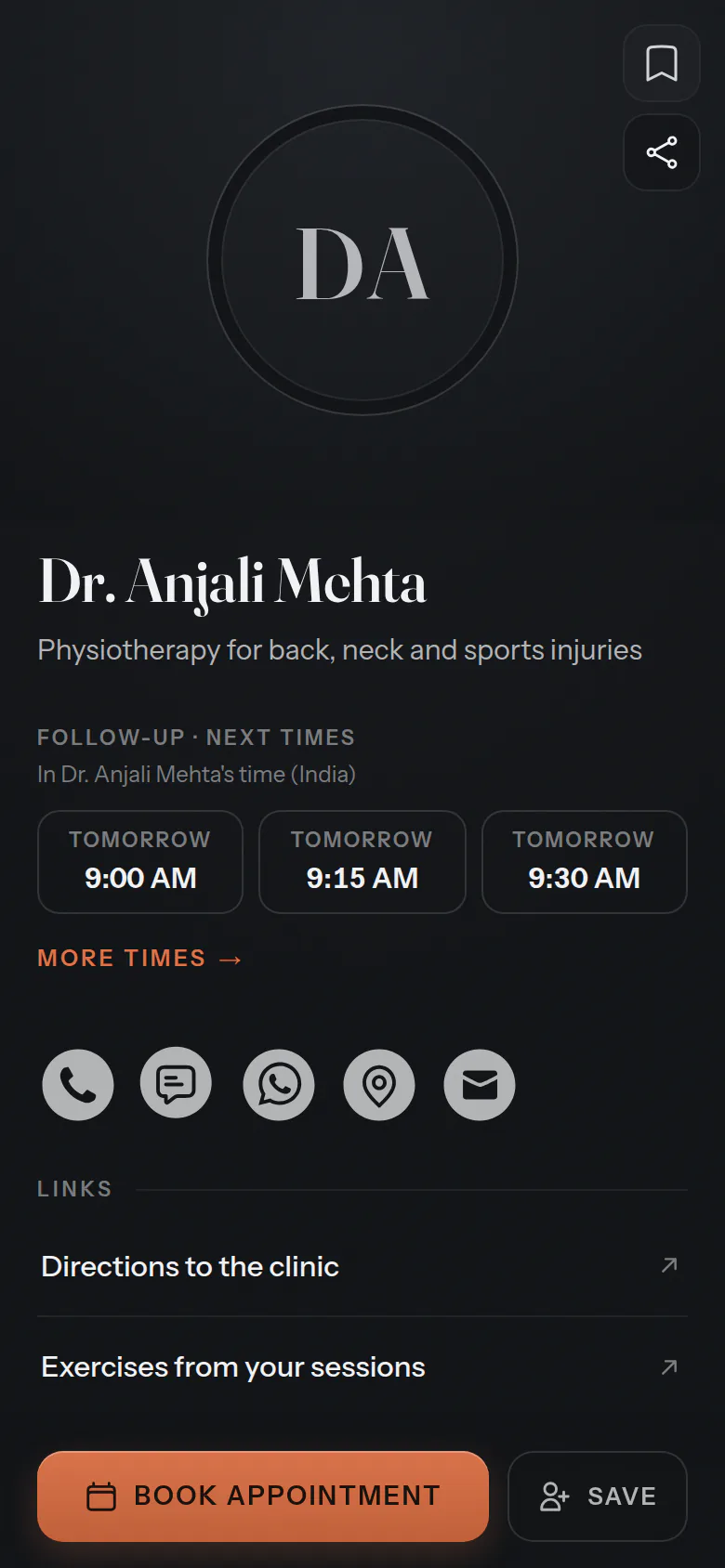
- Book appointment
For your patients
Booked, with the questions answered.
Patients choose the appointment and a time, then answer what you need to know before they arrive. A name and a mobile number, and it's booked.
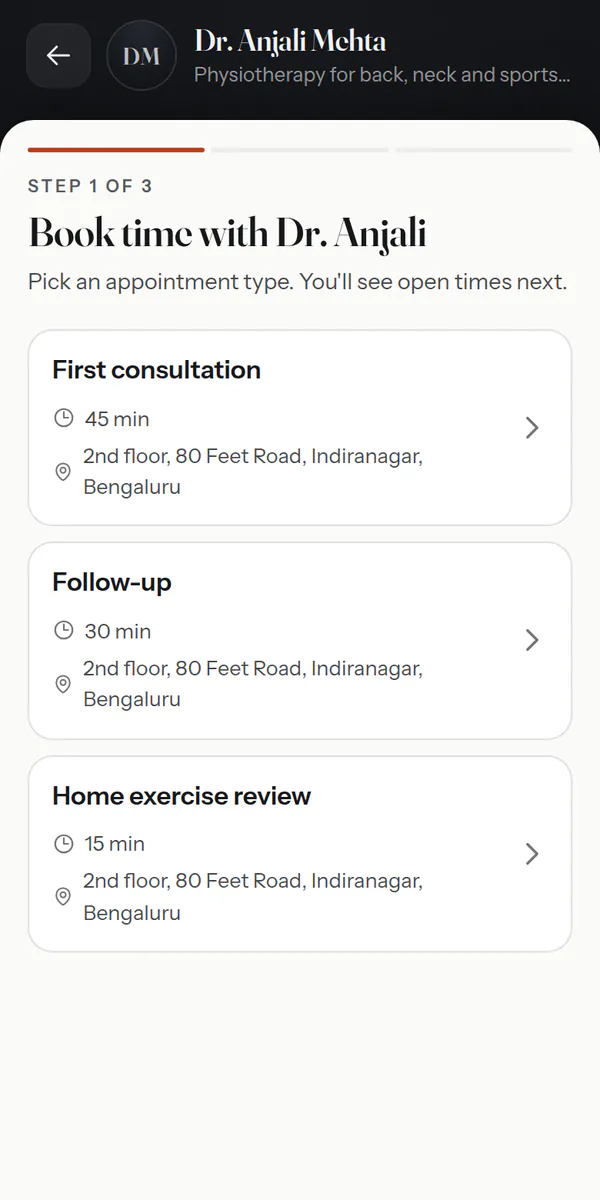
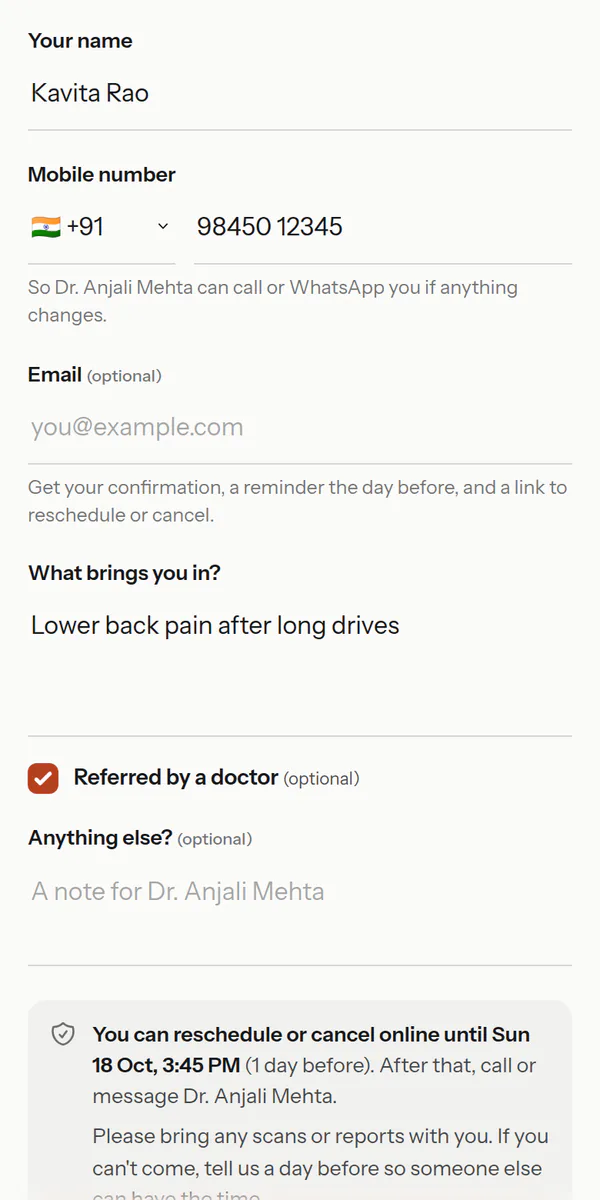
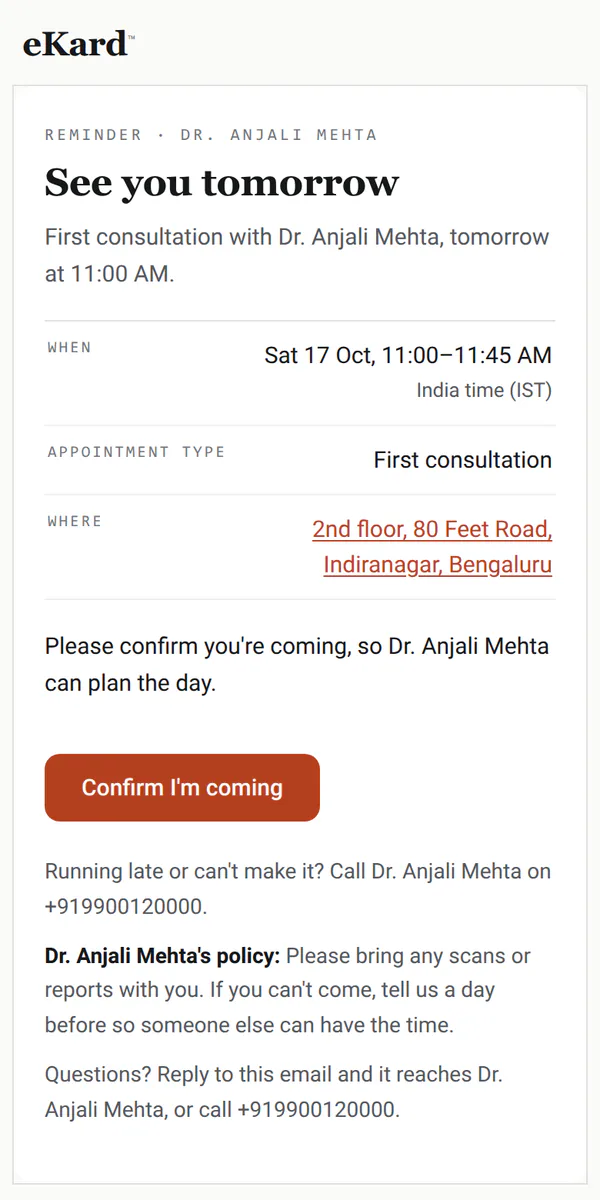
Also — a Book button on each practitioner's card·titles kept: Book with Dr. Anjali·changes online until your cutoff
For reception
The practice's day, at reception.
Each practitioner in a column, the lunch break blocked, and walk-ins added in seconds. The same day shows on every screen in the practice.
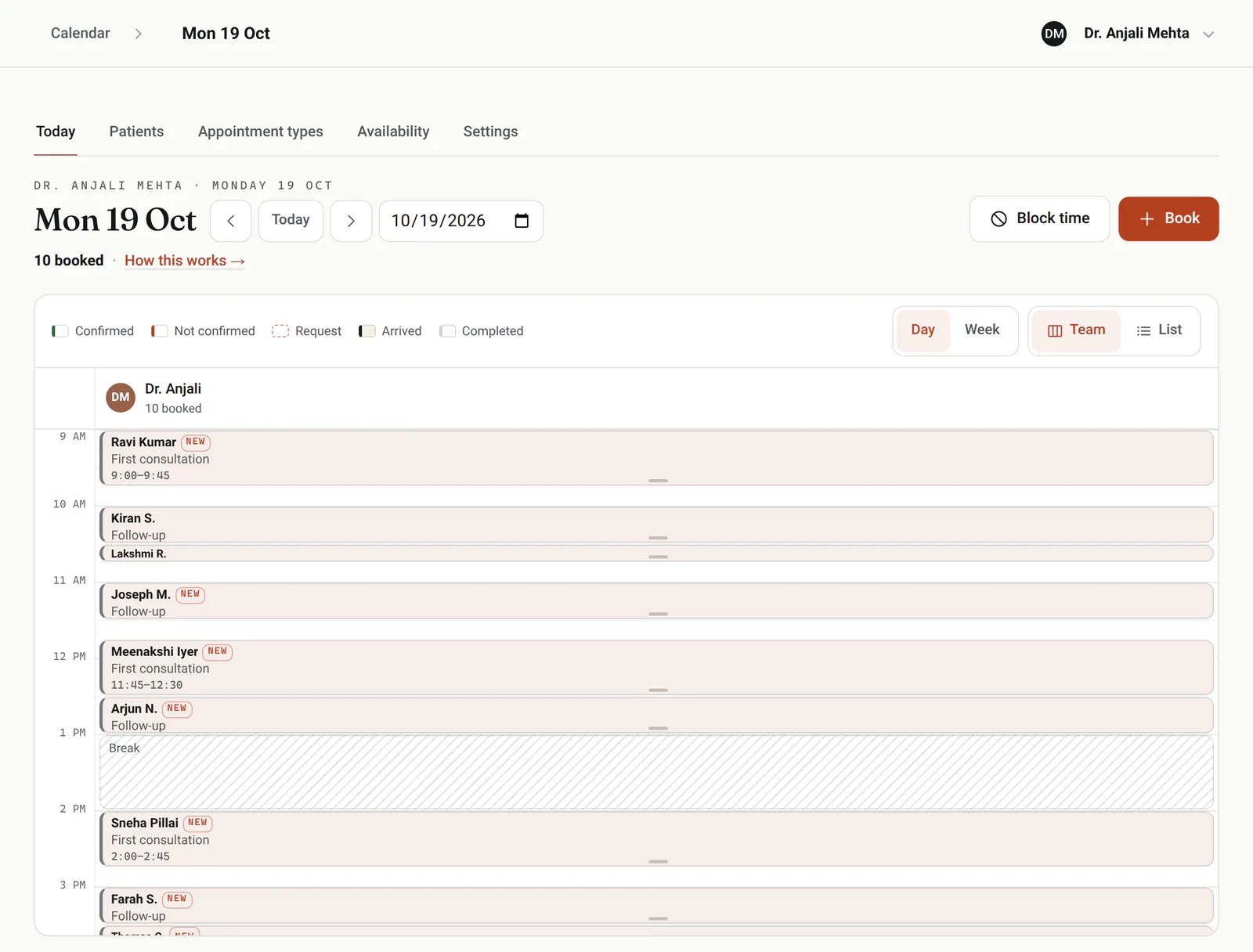
Walk-ins
Pick the appointment type and see who's free now, or how long the wait is.
Phone bookings
Type a few digits of their number and the patient comes up, ready to book.
Split hours
Morning and afternoon sessions with a lunch break, and different hours on any single day.
Leave and closed days
Block a conference, leave or a holiday, and those times leave the booking page.
Confirmed or not
Reminders carry a Confirm button, and the day shows who has tapped it.
Logins for reception
On a team, a front-desk login runs every appointment and patient, and practitioners see the day and keep their own hours.
Made for practices
The details a practice runs on.
Patient records
Each patient's visits, notes, an alert note on every appointment, and how often they've cancelled or not come.
Prices off the page
Prices stay hidden unless you show them, appointment type by appointment type.
Your title on the button
Each practitioner's card books straight with them, and the button keeps the title: Book with Dr. Anjali.
Requests you confirm
Approve some appointment types before they're booked; the time is held while you decide.
Your policy, everywhere
What to bring and how much notice you need, shown when they book and in every message.
A course of sessions
Book a run of follow-ups every week or two in one go; the patient gets every date in one email.
A waitlist for full days
When the practice is fully booked, patients join a waitlist for the days and times that suit them. When an appointment is cancelled, those waiting hear by email, with a link that books it, and reception sees who's waiting.
Requests on your phone
Requests to approve, online bookings, and the cancellations and moves patients make reach your phone as they happen; a phone can be set to requests and cancellations only.
No-shows in numbers
Insights shows each practitioner's no-show and cancellation rates, new and returning patients, the busiest hours and how far ahead patients book, for any week or month.
Good to know
What it doesn't do yet.
So you know before you switch, in plain terms.
Works with what you use
It fits in, everywhere you are.
eKard University
Learn it in minutes
Short, plain courses from the University, picked for clinics and therapists.
Open the book
ekard.app/yourclinic
Make your card, say what you offer and when you work, and switch booking on. Already have a card? Open your calendar.
The paperwork
Do patients need an app or an account?No. They book in any browser with a name and a mobile number, and get a link to change or cancel within your rules.
Can I ask questions before the appointment?Yes. Each appointment type can ask up to five: a few words, a longer answer, a choice from a list or a tick box, required or not. The answers show on the appointment.
Is it a medical records system?No. It keeps appointments, the answers patients give when booking and short notes. Keep clinical records in your clinical software.
Can I hide my prices?Yes. For a clinic, prices are hidden unless you show them, and you choose for each appointment type.
Does it work for a practice with several practitioners?Yes. Each practitioner has their own hours, appointment types and card, patients can choose someone or anyone free, and reception sees everyone's day.
Can I see patients by video?Yes. Put your video link on an appointment type, and it goes in every confirmation and reminder.