Online booking for home services.
Clients pick the job, a time that's really free and where you're going, straight from your card. No app to install, no account to make. Travel time is kept after every job, the bigger ones wait for you to confirm, and the team sees where to go next, with the address a tap from the map.
No app for clients·Their address on every booking·Travel time between jobs

In your words
Your words, on every screen.
Choose “Home services” when you set up, and your screens, your emails and the button on your card use these words. The same calendar underneath.
- What you offer
- Services
- Who they book
- Team membersClients choose a professional
- Who books
- Clients
- In your calendar
- Bookings
- On your card
- Book now
For your clients
From your card to their door.
Clients choose the job, a time and the address. A name and a mobile number, and it's booked, or waiting for you to confirm.
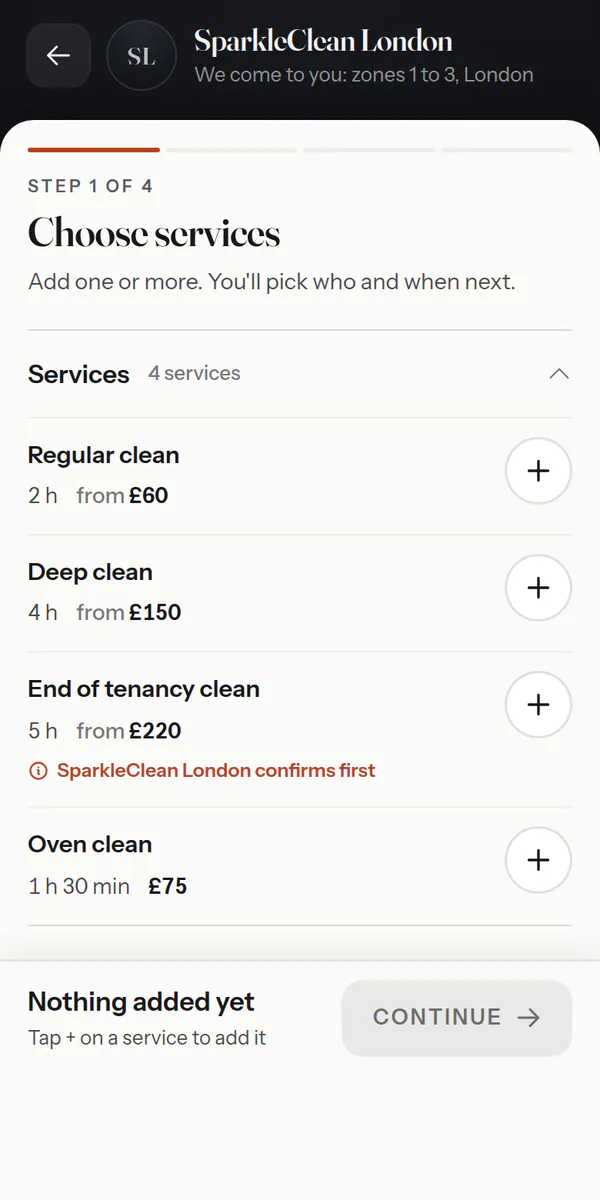
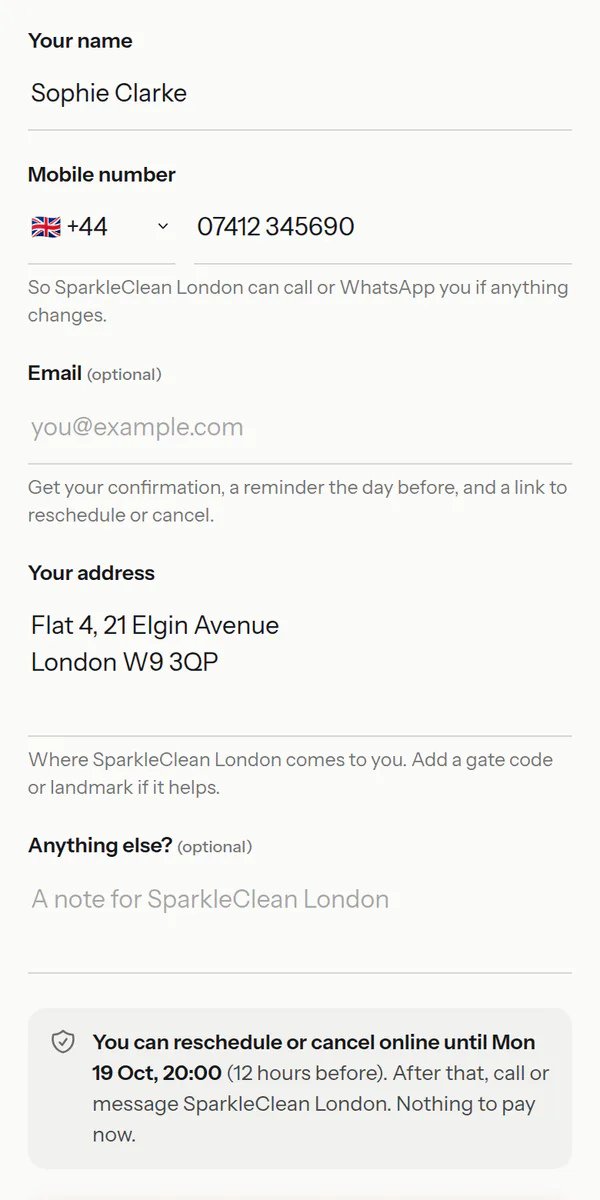
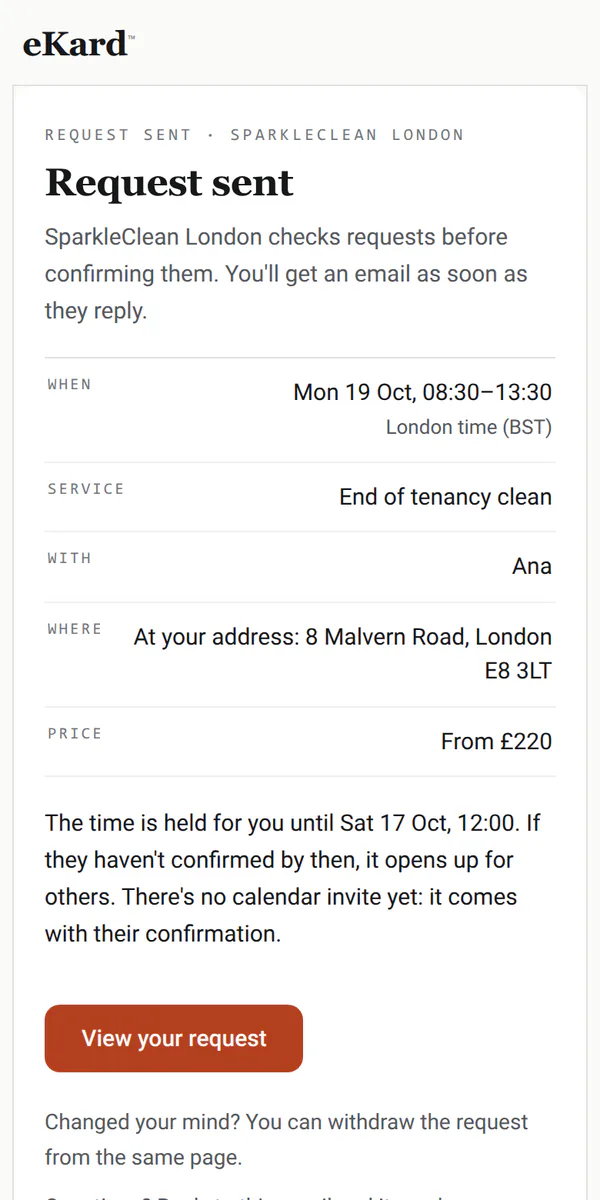
Also — an advance on the bigger jobs·a note clients read before you come·changes online until your cutoff
Your jobs
Every job, with the address.
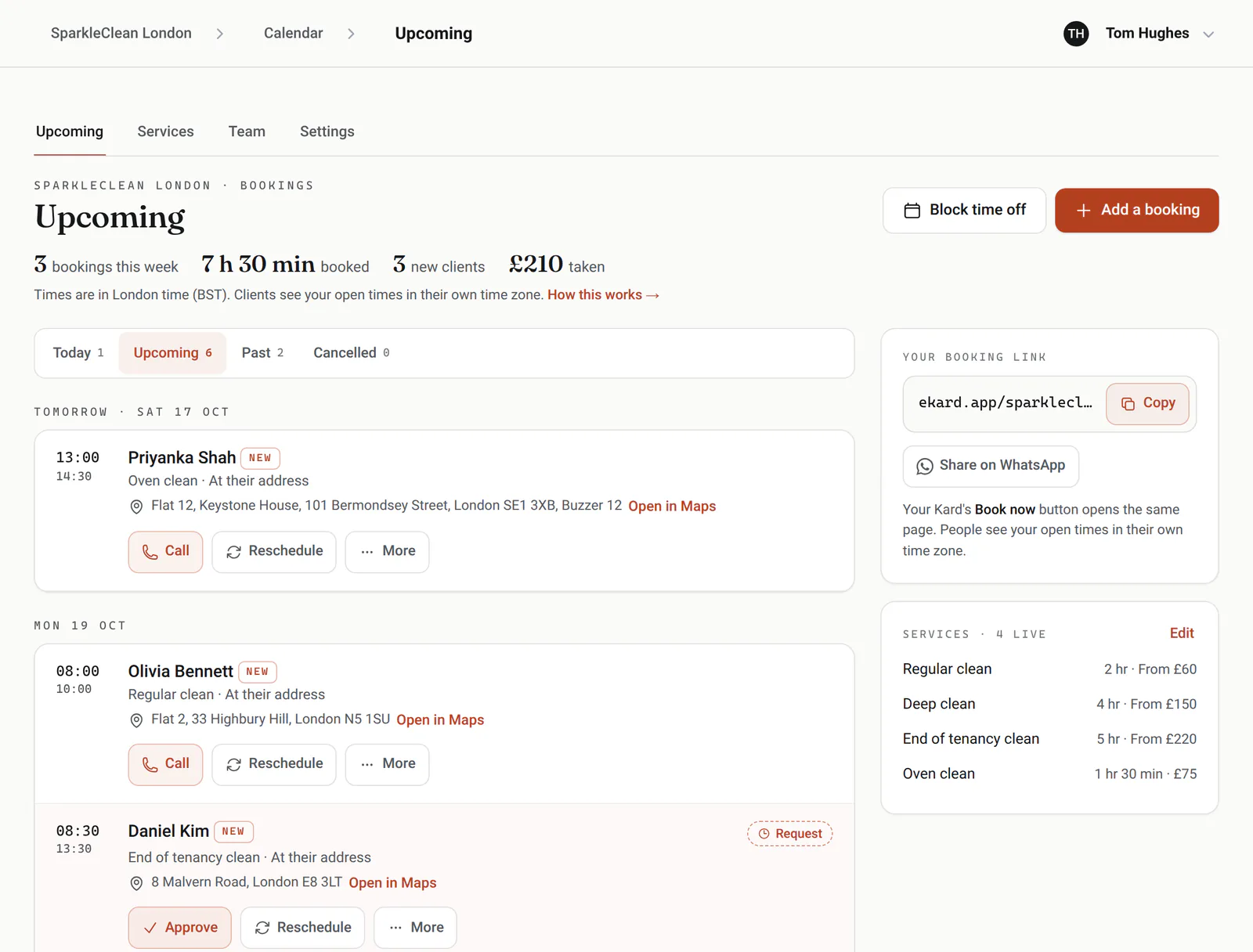
What's coming up for the whole team, each address a tap from your maps app, and the requests waiting for you, with Approve right there.
Travel time
Time after each job stays free for getting to the next one; clients don't see it.
Requests you confirm
Approve or decline from the list. The time is held for four of your open hours while you decide, and until you answer once their advance is in.
Advances
Ask for an advance on the jobs that need one, and mark it received when it arrives.
Open in Maps
Every address opens in your maps app, straight from the booking.
A team
Each person has their own hours and jobs; clients choose someone or anyone free.
Notice you need
Four hours' notice to start with, a month ahead at most, and a daily limit for any service.
Made for jobs at the door
The details home services run on.
The address, every time
The address, a gate code and any note come with each booking, in the team's list and the client's emails.
Regular cleans
Book a client's clean every week, two or four as one series; each visit keeps its own reminder and payment.
Single-use links
Send a client you've quoted a private link that books that job once.
WhatsApp in one tap
A reminder, a confirmation or a word about their request opens in WhatsApp, already written, from the booking.
Takings
Mark each job paid, with any tip, and see any week by person and by method.
Logins for the team
On a team, each person can sign in to see the jobs and keep their own hours.
Requests on your phone
A request to approve reaches your phone the moment it comes in, while its time is held for you, and so do jobs booked online and the cancellations and moves clients make.
Where the work comes from
Insights shows where bookings come from, how far ahead clients book, each person's booked time and the busiest hours, for any week or month.
Good to know
What it doesn't do yet.
So you know before you switch, in plain terms.
Works with what you use
It fits in, everywhere you are.
eKard University
Learn it in minutes
Short, plain courses from the University, picked for home services.
Open the book
ekard.app/yourbusiness
Make your card, say what you offer and when you work, and switch booking on. Already have a card? Open your calendar.
The paperwork
How do clients give their address?The booking form asks for it whenever a service happens at the client's place, with room for a gate code or a landmark. It shows on the booking and in the team's list.
Can I check a job before it's booked?Yes. Mark a service as needing your approval: the client sends a request, the time is held while you decide, and they get an email either way.
How is travel time handled?Set a travel time after each service. That time stays free after every job, so nobody is booked straight after, and clients don't see it.
Can I take an advance?Yes, on the services that need one. Clients see the amount and how to pay you, and you mark it received. In India, they can pay it by UPI from their booking page.
Do clients need an app or an account?No. They book in any browser with a name and a mobile number, and get a link to change or cancel until your cutoff.
Can I book a regular clean?Yes. Book it once as a series: every week, every 2 weeks or every 4 weeks, ending after a number of visits or on a date. The client gets one email with every date, and each visit keeps its own reminders.