Lesson booking for tutors and teachers.
Students, or their parents, pick a lesson and a time that's really free, straight from your card. No app to install, no account to make. A trial lesson to start, lessons in the lengths you teach, online or in person, and reminders that reach whoever booked.
No app for students·Parents can book·Online or in person
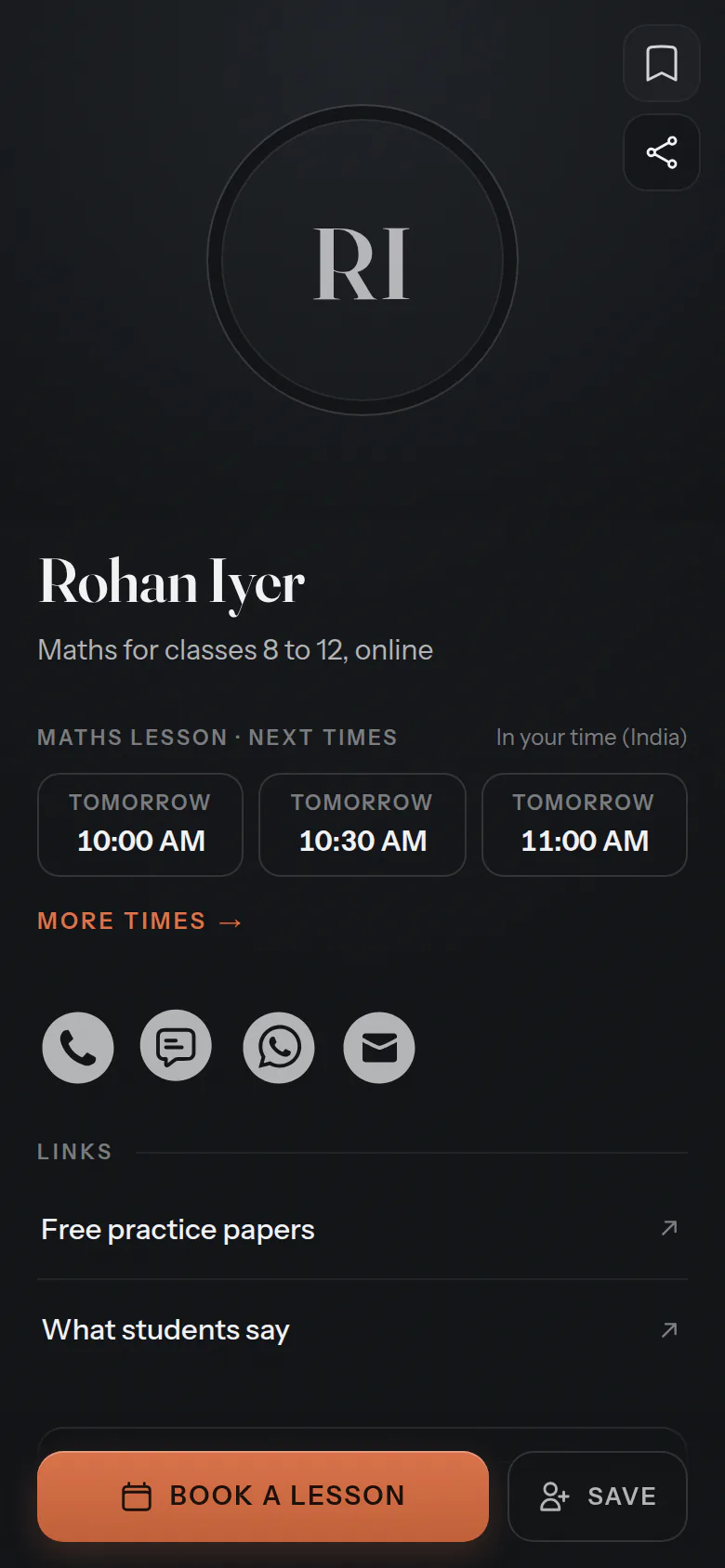
In your words
Your words, on every screen.
Choose “Teaching & tutoring” when you set up, and your screens, your emails and the button on your card use these words. The same calendar underneath.
- What you offer
- Lessons
- Who they book
- Teachers
- Who books
- Students
- In your calendar
- Lessons
- On your card
- Book a lesson
For your students
Booked by the student, or the parent.
They choose the lesson and how long, then a time, and say who the lesson is for. A name and an email, and it's booked.
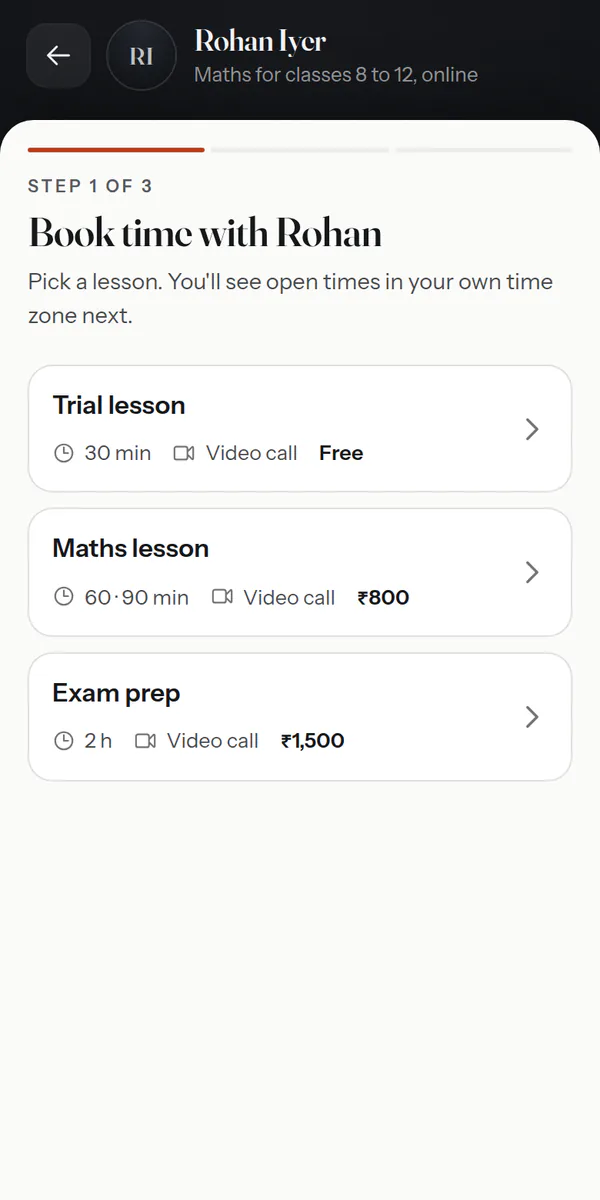
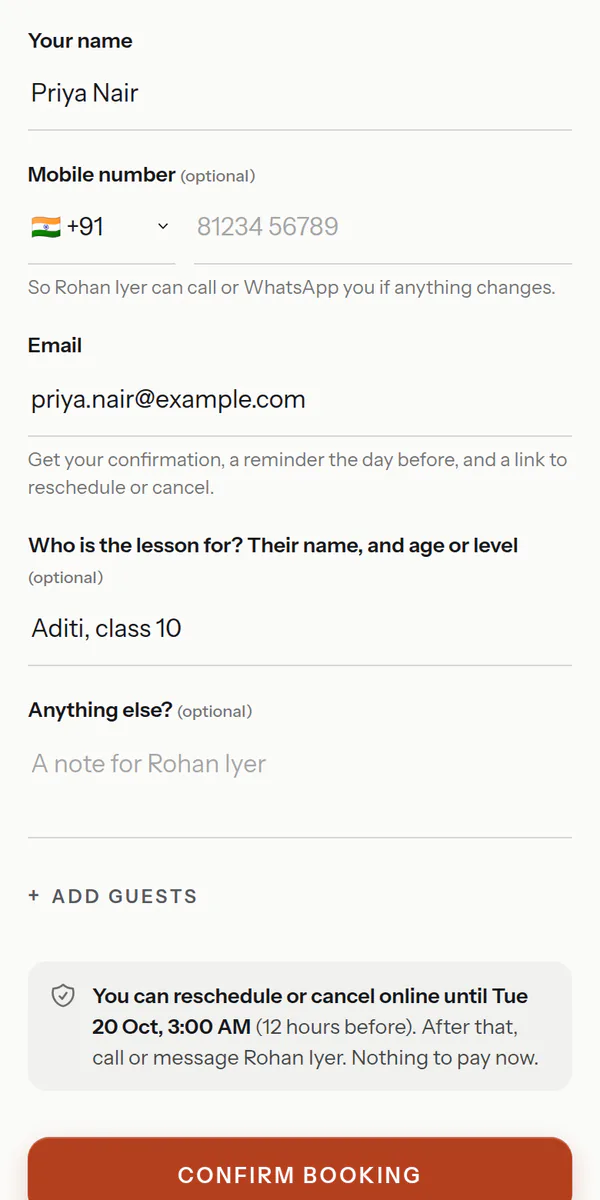
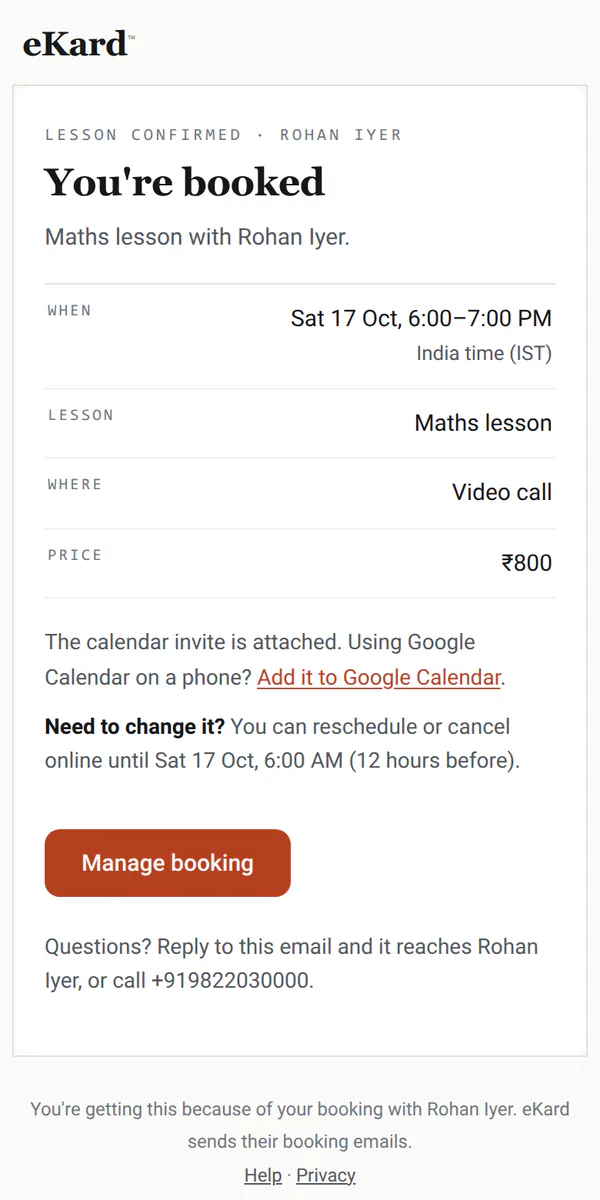
Also — the student as a guest on the invite·a free first lesson·changes online until your cutoff
Your week
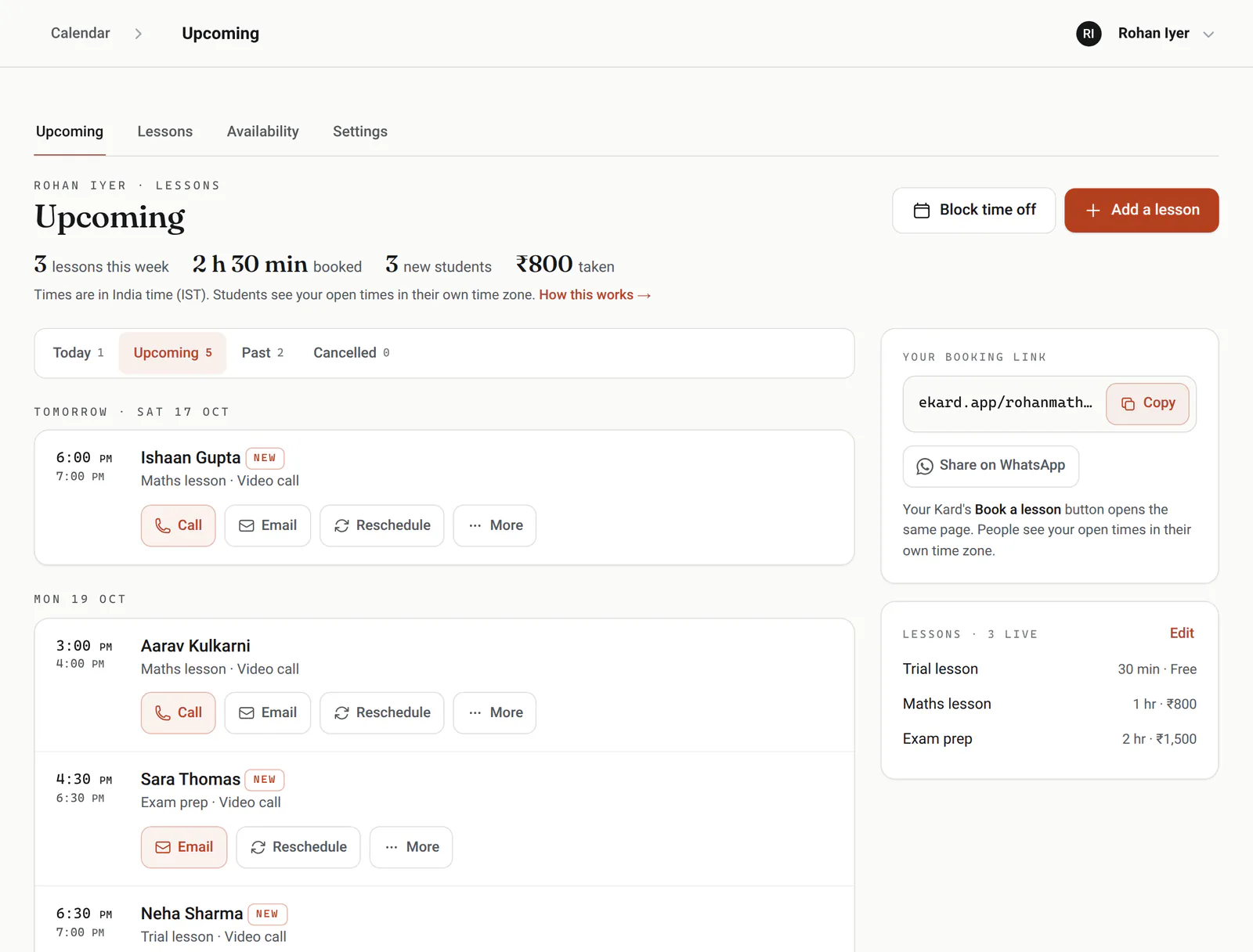
Your teaching week, at a glance.
Every lesson coming up, which students are new and what's been paid. Call or email anyone, and move a lesson in a few taps.
After-school hours
Weekday evenings and Saturday mornings to start with, and different hours on any single day.
Online or in person
A video link, your place, the student's home or anything you write, set for each lesson.
Time zones
Students abroad see open times in their own time zone for online lessons.
Notice you need
How much notice you need and how far ahead people can book.
Changes before your cutoff
Students move or cancel online until your cutoff; after that, they contact you.
Holidays
Block a holiday or an exam week, and those days leave the booking page.
Made for teaching
The details teaching runs on.
Student notes
Each student's lessons, your notes on how they're doing, and an alert note you see on every lesson.
Trial lessons
A free first lesson, then paid ones; each lesson type has its own length, price and place.
Single-use links
Send a parent a private link that books one lesson, or a few, then stops.
Paid or not
Mark each lesson paid, by any method, and see what each week or month added up to.
Weekly lessons
Book a student's lessons every week, or every two, as one series; whoever booked gets every date in one email.
Several teachers
A school or an academy runs one calendar, with each teacher's own hours and lessons.
Lessons on your phone
When a student or a parent books, cancels or moves a lesson, your phone shows it as it happens.
How teaching is going
Insights shows new and returning students, how full your teaching hours are, no-shows and cancellations, and what each kind of lesson brought in, for any week or month.
Good to know
What it doesn't do yet.
So you know before you switch, in plain terms.
Works with what you use
It fits in, everywhere you are.
eKard University
Learn it in minutes
Short, plain courses from the University, picked for tutors and teachers.
Open the book
ekard.app/you
Make your card, say what you offer and when you work, and switch booking on. Already have a card? Open your calendar.
The paperwork
Can parents book for their children?Yes. Whoever books gives their own name and email, and every new lesson asks who it's for, so you know the student's name and level.
Do students need an app or an account?No. They book in any browser and get a link to change or cancel until your cutoff.
Can I teach online and in person?Yes. Each lesson type has its own place: a video link, your address, the student's address or anything you write.
Can I book weekly lessons?Yes. Book them once as a series: every week, every 2 weeks or every 4 weeks, for up to a year. Whoever booked gets one email with every date and a calendar file that adds them all, and each lesson keeps its own reminders.
What if a student is in another country?For online lessons, open times show in the student's own time zone, and you see their local time beside the lesson.
Can I teach a group?Not yet. Each booking is one student, and an online lesson can add up to five guests to the invite, a parent for instance.