Online booking for salons and barbers.
Clients pick the service, a stylist or anyone free, and a time that's really open, straight from your card. No app to install, no account to make. At the desk, the whole team's day on one screen: walk-ins, phone bookings in seconds, colour that develops while the stylist sees someone else, and what everyone paid.
No app for clients·Any stylist or a chosen one·Walk-ins at the desk
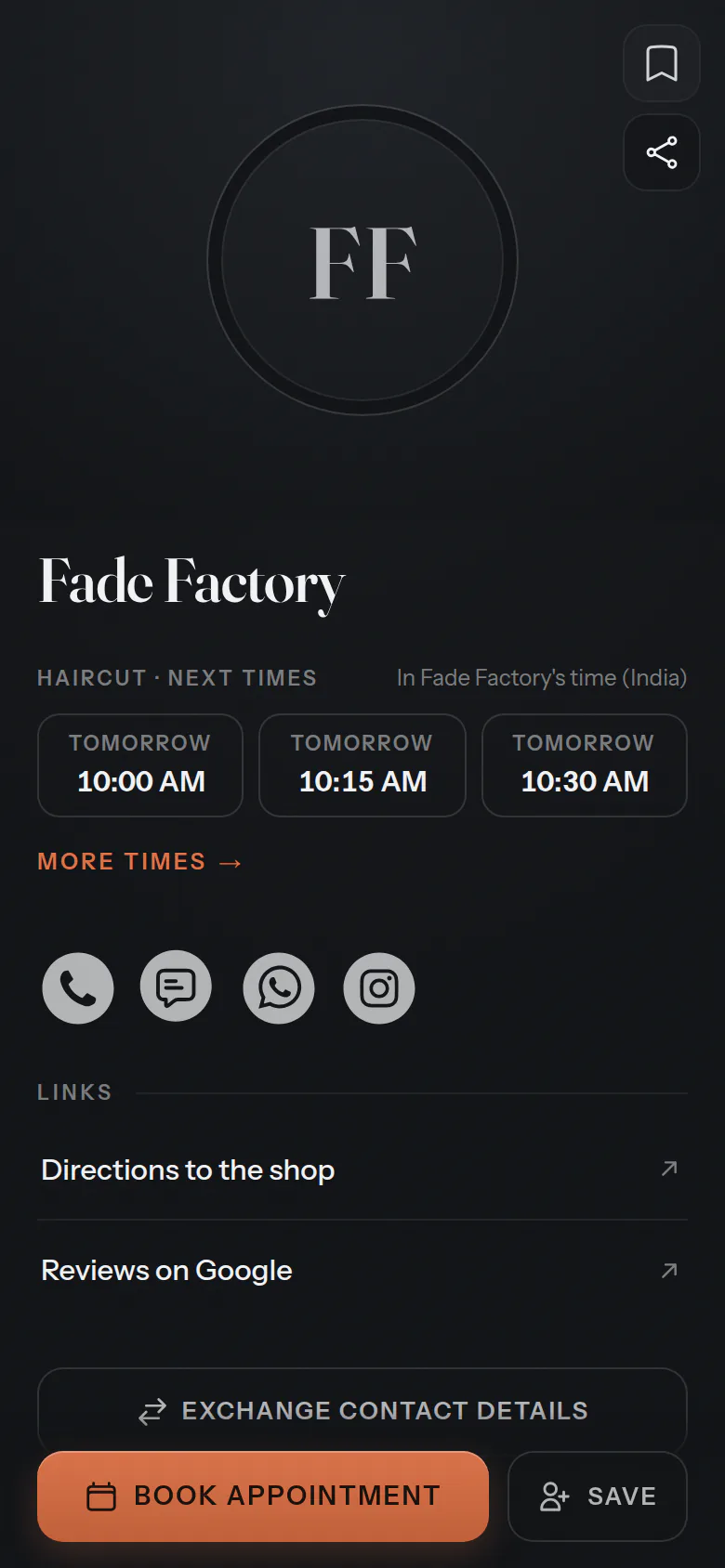
In your words
Your words, on every screen.
Choose “Salon, barber, nails & beauty” when you set up, and your screens, your emails and the button on your card use these words. The same calendar underneath.
- What you offer
- Services
- Who they book
- Team membersClients choose a stylist
- Who books
- Clients
- In your calendar
- Appointments
- On your card
- Book appointment
For your clients
From your card to the chair.
Clients choose what they want and who with, then a time that's actually free. A name and a mobile number, and it's booked.
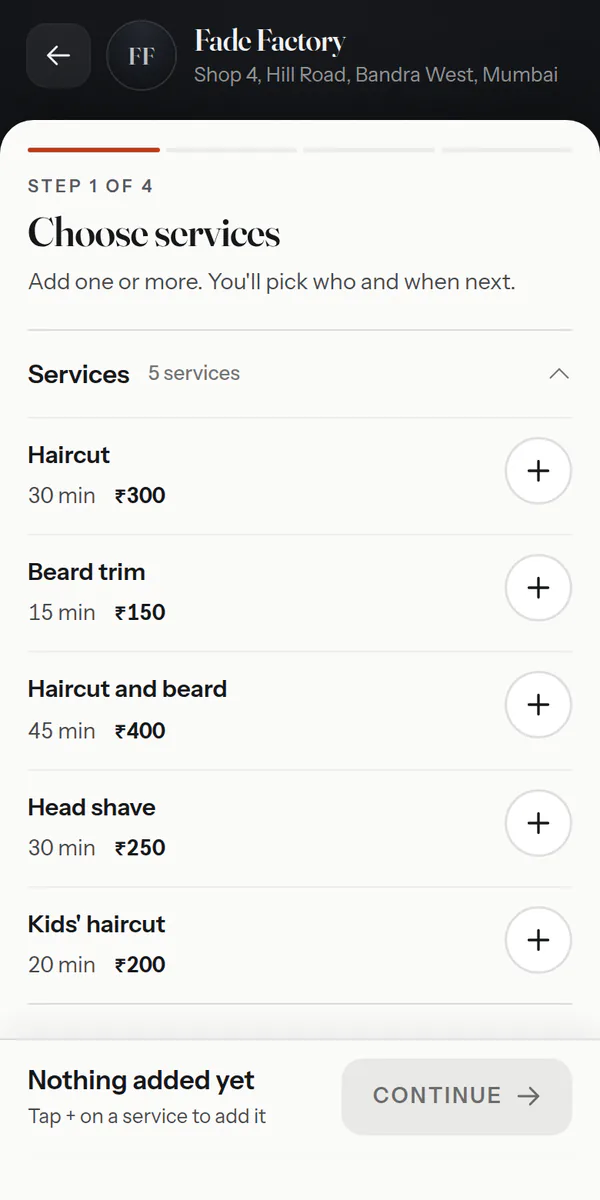
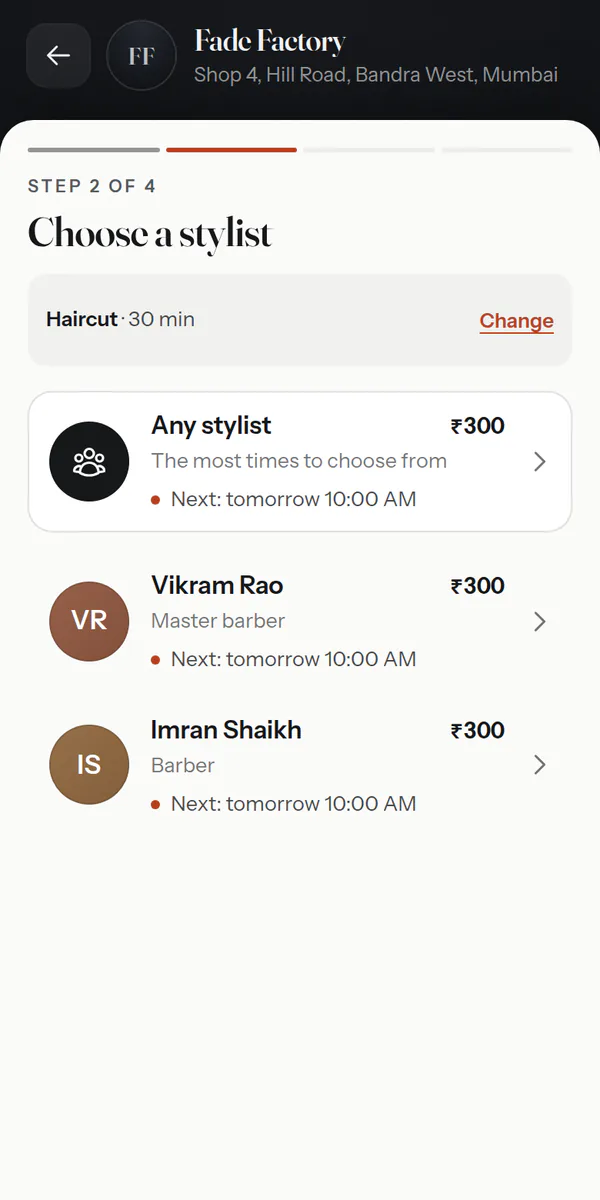
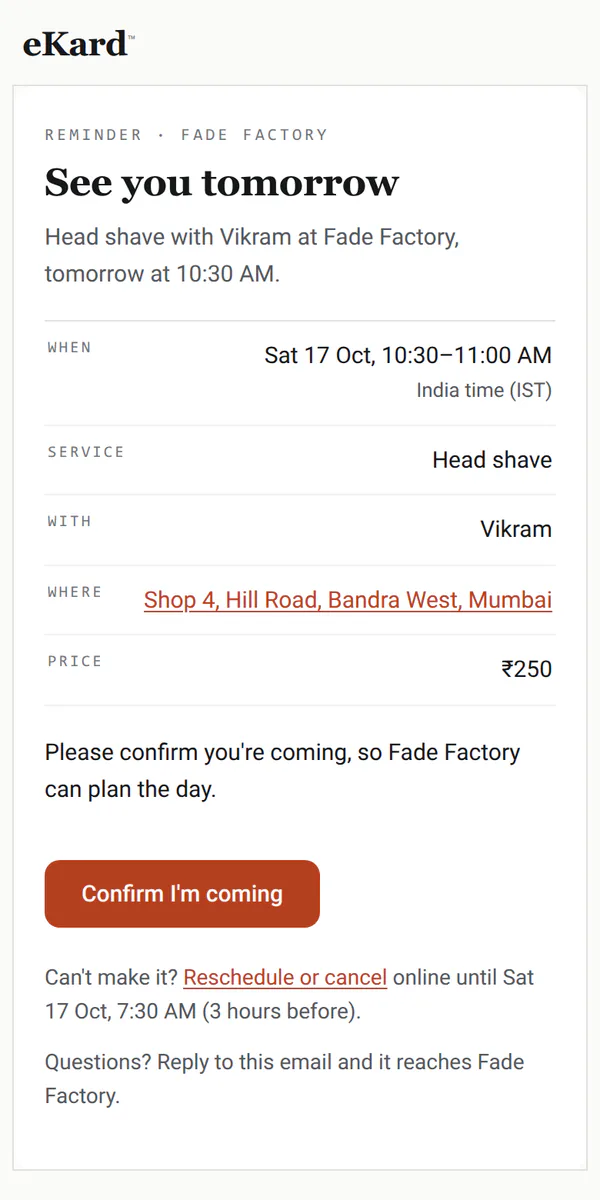
Also — a Book button on each stylist's card·several services in one visit·changes online until your cutoff
For the front desk
The salon floor, on one screen.
Everyone in a column, every appointment in its place, and the same day live on the desk's tablet and each stylist's phone. Built for the counter, where the phone rings while someone walks in.
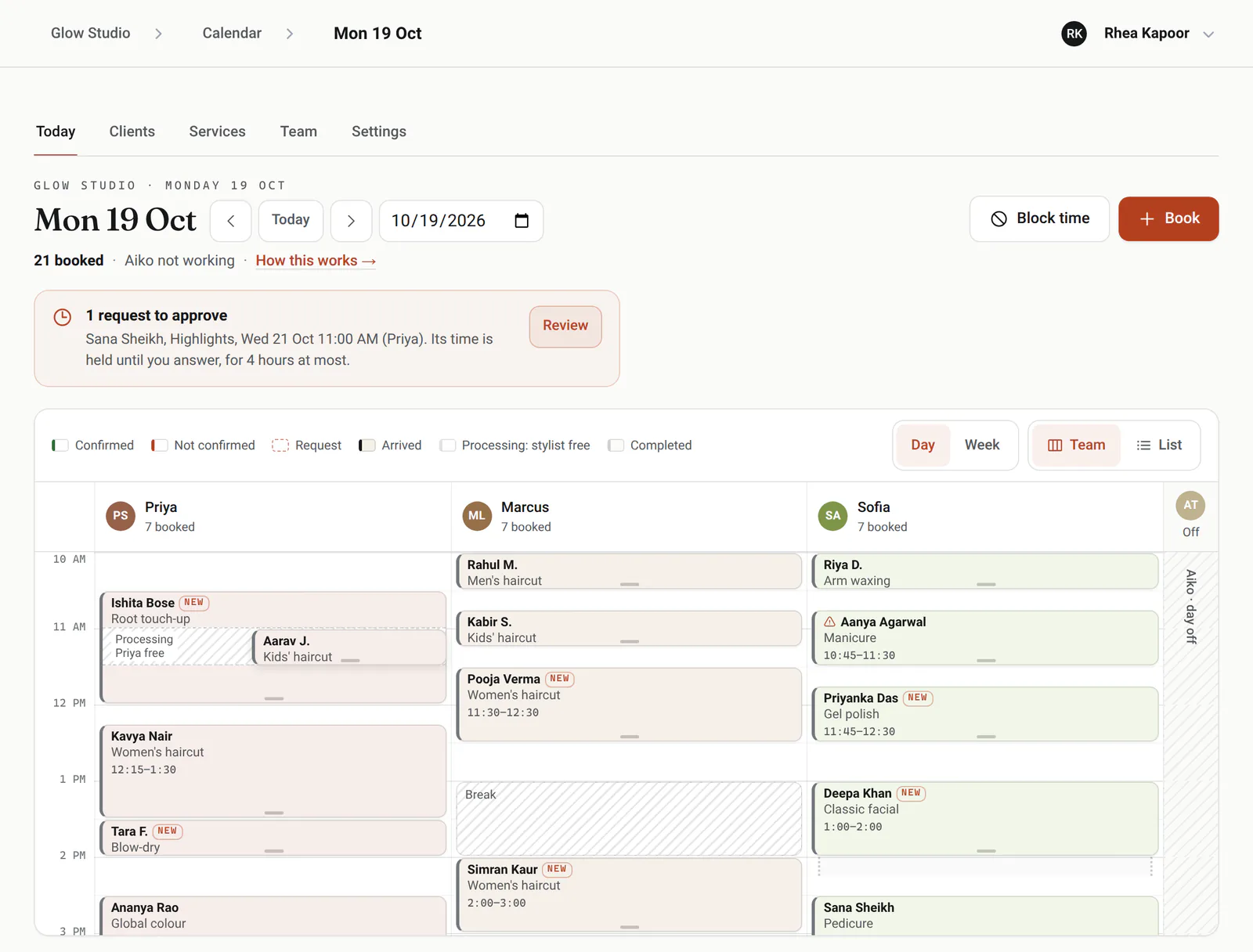
Walk-ins
Pick the service and the desk shows who's free now, or how long the wait is.
Phone bookings
Type a few digits of their number and the client comes up, ready to book.
Processing time
Colour develops while the stylist is free, and a cut or a blow-dry can go into the gap, online or at the desk.
Drag to move
Drag an appointment to another time or stylist, or its edge to make it longer.
Confirmed or not
Reminders carry a Confirm button, and the day shows who has tapped it.
Breaks and leave
Block lunch, training or a week away, and those times leave the booking page.
Made for salons
The details a salon runs on.
Prices by stylist
A senior stylist can charge more and take longer for the same service; clients see each price before they choose.
Each stylist's own card
Every team member's card gets its own Book button, booking straight with them.
Client notes and alerts
Visits, notes and an alert note, like a patch test or an allergy, on every appointment.
Takings and tips
Mark each visit paid by cash, card, UPI or another way, with any tip. Today's takings sit on the day view; any week adds up by stylist.
Logins for the team
On a team, a front-desk login runs every booking, and stylists see the day and keep their own hours. Services, prices and settings stay with you.
Regulars on repeat
Book a regular's cut every four weeks as one series; each visit keeps its own reminder and payment.
A waitlist for full days
When a day is full, clients join its waitlist from your booking page. When a time frees up, the people waiting for it hear by email, with a link that books it in one tap, and the desk sees who's waiting.
Bookings on your phone
Once notifications are on, your phone shows each online booking, and each cancellation or move a client makes, as it happens. With logins, each stylist hears about their own.
Who's busy, and when
Insights shows how full each stylist is, the busiest hours of the week, no-shows, new and returning clients and where bookings come from, for any week or month.
Good to know
What it doesn't do yet.
So you know before you switch, in plain terms.
Works with what you use
It fits in, everywhere you are.
eKard University
Learn it in minutes
Short, plain courses from the University, picked for salons and barbers.
Open the book
ekard.app/yoursalon
Make your card, say what you offer and when you work, and switch booking on. Already have a card? Open your calendar.
The paperwork
Do my clients need an app or an account?No. They book in any browser with a name and a mobile number, and get a link to change or cancel within your rules.
Can clients choose their stylist?Yes, or anyone free. Each stylist's own card books straight with them, and the desk can book anyone at any time.
What about walk-ins and phone calls?The front desk adds them in seconds: pick the service and it shows who's free now, or type a few digits of a regular's number to find them.
How does processing time work?Set how long colour develops inside a service, and that time stays free for the stylist. Online and at the desk, another short service can go into the gap.
Can my receptionist use it without seeing the takings?Yes. On a team, a front-desk login handles every booking, walk-in and client, and can't open takings, services, settings or the team.
Does it help with no-shows?Every appointment gets a reminder the day before and two hours before, with a button to confirm. The day view shows who has confirmed, and each client's record counts their no-shows.